The Windsurf Experiment: Five Months, Real Projects, Honest Lessons
Authors

Founding Engineer
My 5-Month Windsurf Review: What Actually Happens When You Use It as Your Primary AI IDE
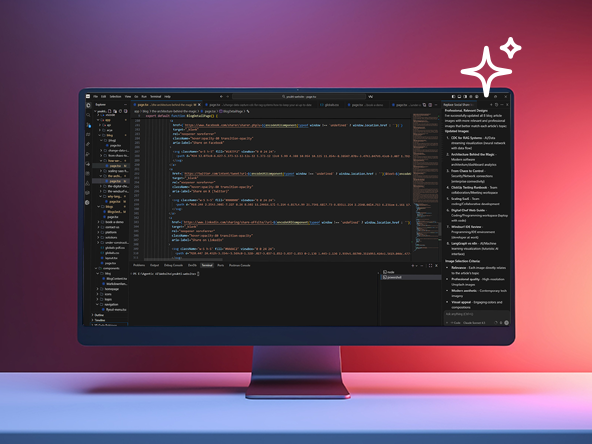
My 5-Month Windsurf Review: What Actually Happens When You Use It as Your Primary AI IDE
After five months of using Windsurf as my primary IDE across real production work—frontend (Next.js, Tailwind CSS), backend (Python, JavaScript), and multi-developer team projects—I've gathered a clear picture of both its transformative strengths and its practical limitations.
This isn't a "first impressions" review. This is what actually happens when you commit to building inside Windsurf every day for months.
What Actually Changed in My Workflow
1. A Speed Multiplier on Familiar Tasks
The first month felt like magic. Scaffolding components, generating API endpoints, and creating test stubs—Windsurf cut these tasks from hours to minutes.
For Next.js and Tailwind CSS, Cascade's multi-file reasoning and design-system awareness removed boilerplate friction almost entirely.
But speed gains aren't linear:
- ●For repetitive patterns → massive time savings
- ●For novel, architecture-heavy problems → the time savings flatten
AI excels at repetition, not invention.
2. Context Awareness Is Real—But Fragile
Compared to Cursor or GitHub Copilot, Windsurf has superior long-context understanding.
Cascade can:
- ●track multi-file refactors
- ●maintain discussion memory
- ●restructure services
- ●understand relationships across a large codebase
This is a huge productivity boost—until you hit the ceiling.
At around 16,000 tokens per request, Windsurf starts hallucinating. From months 3–5, I hit this limit constantly during large refactors, forcing me to restart chats and lose conversational context.
3. The Credit System Creates Invisible Friction
This is the part no one warns you about.
- ●Free tier → 25 credits/month
- ●Pro tier → 500 credits/month
- ●Claude 3.5 Sonnet and other advanced models → 3× credit consumption
Month 1 impression: "500 credits is plenty."
Reality: By day 10, I had burned 200. By day 20, I was out. By month 3, I'd spent $300 in flex tokens on top of my subscription.
Heavy users report consuming 500+ credits per week on complex tasks.
This creates psychological friction: You start treating every prompt like it costs real money—because it literally does.
Comparatively, Cursor charges a simple flat monthly fee, making budgeting far easier.
4. Cascade Can Be Over-Zealous
Cascade is designed to act autonomously—planning steps, editing multiple files, and refactoring without handholding.
In theory, amazing. In practice, sometimes… too much.
Example: I asked it to "add error logging to API routes." Instead of a surgical change, it:
- ●rewrote three related files
- ●modified the error handler
- ●updated imports across five different files
- ●touched the middleware stack
The output was correct, but the cost was 15 credits for a task that should've taken 2.
By month 4, my prompts included: "Please make minimal changes."
5. The Learning Curve Is Real for Teams
Two other developers on my team struggled during onboarding.
Concepts like:
- ●agentic planning
- ●multi-file execution
- ●workflow orchestration
…require a mental model shift that does not translate from VS Code.
It took everyone roughly 2–3 weeks before productivity went up instead of down.
For solo developers: fine. For teams: that's real onboarding overhead.
The Real Strengths I Still Use Daily
1. Enterprise-Grade Context Handling
This is where Windsurf truly shines.
Working across microservices? It understands system relationships without being spoon-fed context.
Cursor and Copilot still can't match this.
If your codebase is large, interconnected, and growing, this feature alone may justify the cost.
2. Integrated Terminal and Browser
Being able to:
- ●run commands
- ●inspect errors
- ●preview UI changes
- ●select DOM elements visually
- ●ask Cascade to modify code based on selection
…without leaving the IDE is a productivity superpower.
This tight feedback loop is one of Windsurf's best differentiators.
3. Workflow Automation
By month 2, I began creating reusable workflows—Markdown "recipes" encoding repetitive tasks like:
- ●running tests
- ●generating reports
- ●deploying to staging
These saved hundreds of credits over time.
Downside: Workflow files have a 12,000-character limit, which is too small for complex multi-step automations.
The Honest Downsides That Compound Over Time
1. Quality Inconsistency
Windsurf nails boilerplate but struggles with complex domain logic.
Example: When I asked it to implement a multi-tenant state management pattern, it generated plausible—but broken—code requiring significant rework.
Humans still outperform AI on:
- ●architecture
- ●system design
- ●novel patterns
- ●security-critical code
2. Security Concerns Haven't Disappeared
I avoid letting Windsurf generate:
- ●authentication flows
- ●payment logic
- ●database access controls
AI tends to follow predictable patterns hackers already know how to exploit.
By month 3, I manually wrote all sensitive paths.
3. Deployment Limits Are Arbitrary
- ●Free tier: 1 deploy/day
- ●Pro tier: 5 deploys/day
These caps make no sense for an IDE.
When iterating quickly across staging environments, I hit the limit by 2 PM—then had to wait until the next day.
This feels like a billing mechanism disguised as a feature.
4. Pricing Volatility
During my five months:
- ●pricing changed three times
- ●default models changed
- ●credit allocations shifted
This makes budgeting impossible for teams.
You can't plan engineering spend when your IDE's cost fluctuates 2–3× month to month.
What I'd Do Differently Now
Pick the Right Use Cases
Use Windsurf for:
- ●rapid prototyping
- ●scaffolding
- ●repetitive boilerplate
- ●large refactors (with human review)
- ●frontend/Tailwind components
Avoid Windsurf for:
- ●security-critical code
- ●novel architectural work
- ●projects with strict budgets
- ●Teams without AI-IDE familiarity
Budget Conservatively
My realistic monthly spend:
- ●Pro plan: $15/month
- ●Flex tokens: $100–150/month (moderate usage)
- ●Heavy users: $300+/month
Compared to Cursor's $20/month flat fee, Windsurf can become expensive quickly.
Pair AI With Manual Development
My best workflow became:
Windsurf for 60–70% of work (scaffolding + repetition)
Manual review + refinement for 30–40% (quality + security)
This gives speed without losing control.
The Verdict After Five Months — Windsurf Review
Windsurf is genuinely powerful, especially for:
- ●solo developers
- ●AI-forward teams
- ●complex multi-service projects
- ●high-velocity prototyping
Its context handling and Cascade workflows are the best among AI IDEs today.
But it's not a universal replacement for VS Code + Copilot.
The trade-offs are real:
- ●credit anxiety
- ●pricing unpredictability
- ●learning curve for teams
- ●over-eager autonomous edits
- ●security limitations
I still use Windsurf daily, but selectively. And I rely on VS Code for:
- ●authentication
- ●payments
- ●sensitive logic
- ●major architectural decisions
If you're considering Windsurf: Try it for 30 days on a real project. Track your actual credit usage. Then decide whether the time savings justify the cost.
The honest answer depends entirely on your project type, team size, and budget discipline.